COVERS
The social reading app for iPhone

Reading is better with friends.

Log every page, follow what your friends are reading and raise a glass when they finish. Join a book club, build a library that says who you are, and carry it all on your Covers Club membership card.

Coming soon to theApp Store See what it does
FreeNo accountsNo adsYour library stays on your phone
A Covers Club membership card for Sam: her character in a gold arch, established member since March 2026, member number 048 213, 24 books read, 2 clubs
Your membership card

Your reading life, on one card

Everyone in Covers carries a membership card. The front says who you are. Turn it over for your reading record.

The front of a membership card
The front
  • Your own character, drawn in a gold arch
  • A member number that's yours for good
  • Established member since the day you joined
  • Books read and the clubs you belong to
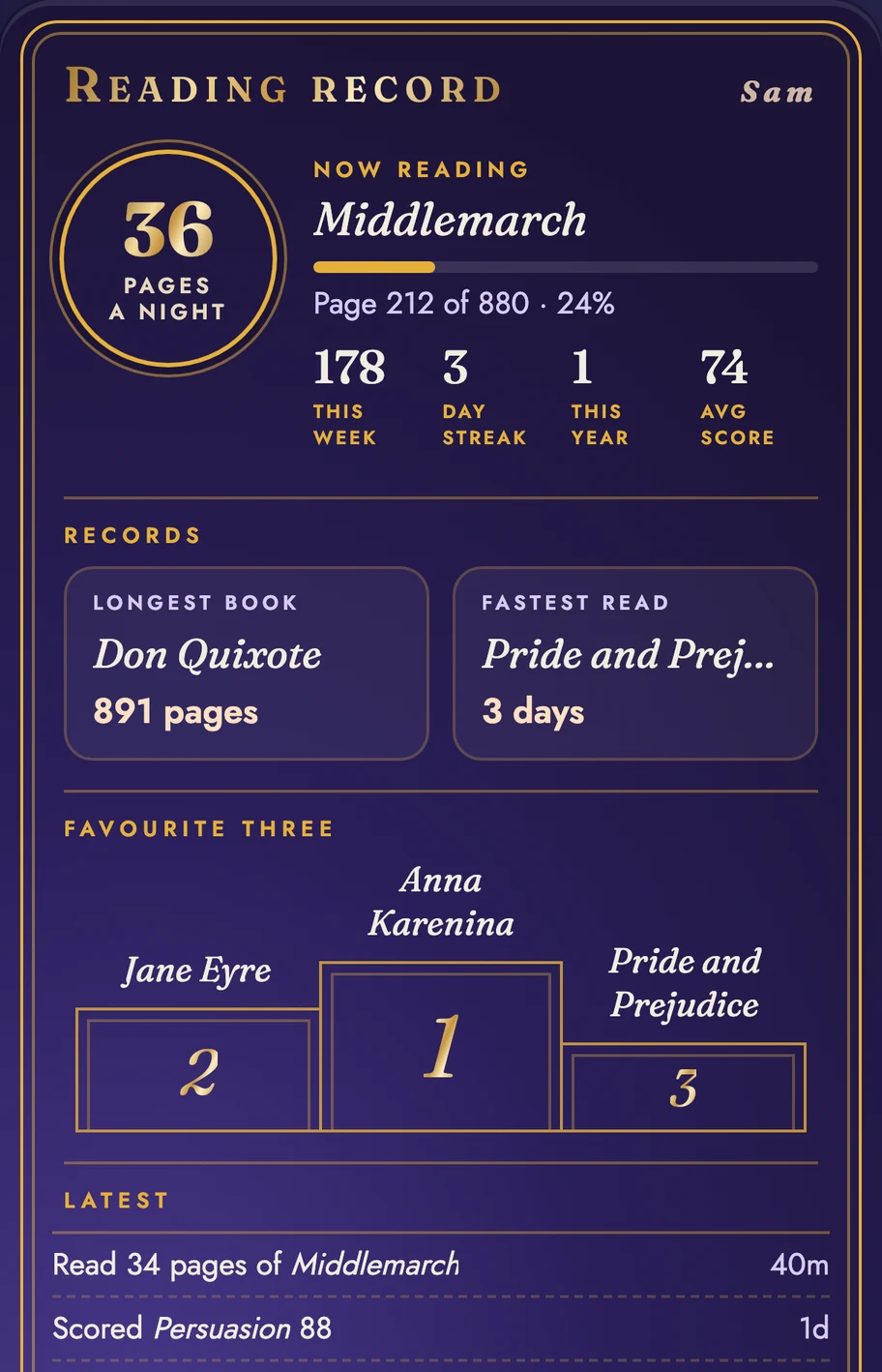
The back of a membership card: pages a night, now reading, records, favourite three and latest activity
The back
  • Pages a night, this week, your day streak and average score
  • What you're reading now, and how far in
  • Records: your longest book and fastest read
  • Your favourite three, on a podium
What you can do

Five reasons to open Covers

01

Track your friends

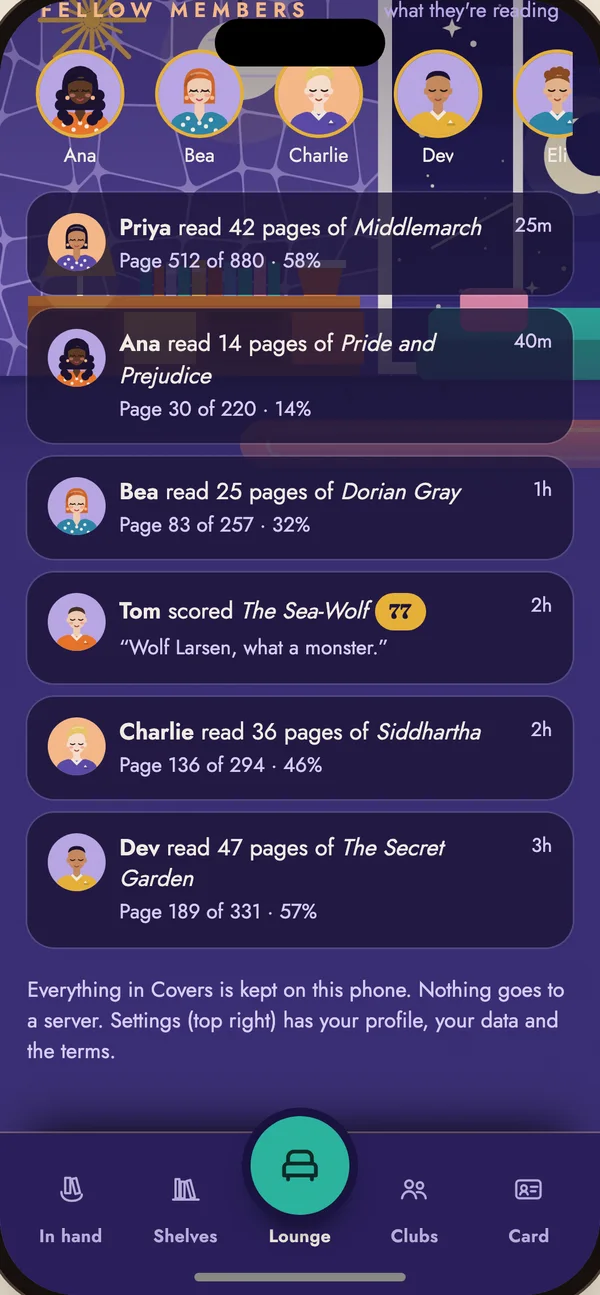
Scan a friend's membership card and follow their reading. See every session as it happens: the pages they read, the books they start and finish, and how they score them.

  • A feed of your fellow members' reading
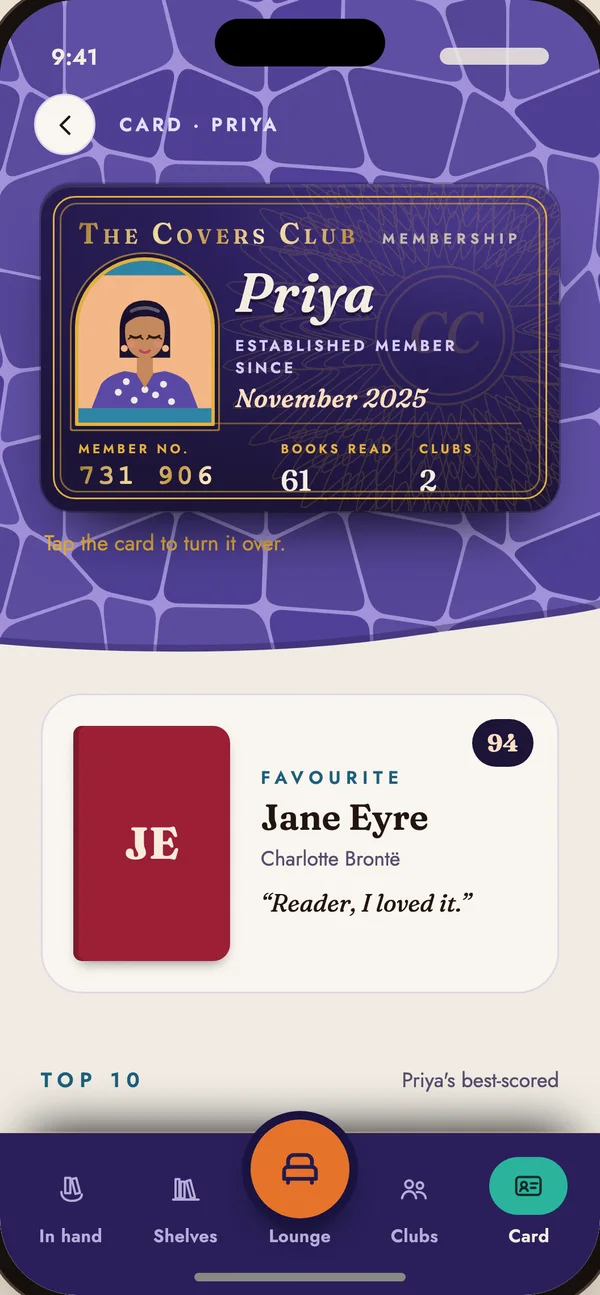
  • Open anyone's card for their top 10 and what's in their hand
  • Raise a glass when a friend finishes a book
A feed of friends' reading: Priya read 42 pages of Middlemarch, Tom scored The Sea-Wolf 77
Priya's membership card and her favourite book
02

Join live book clubs

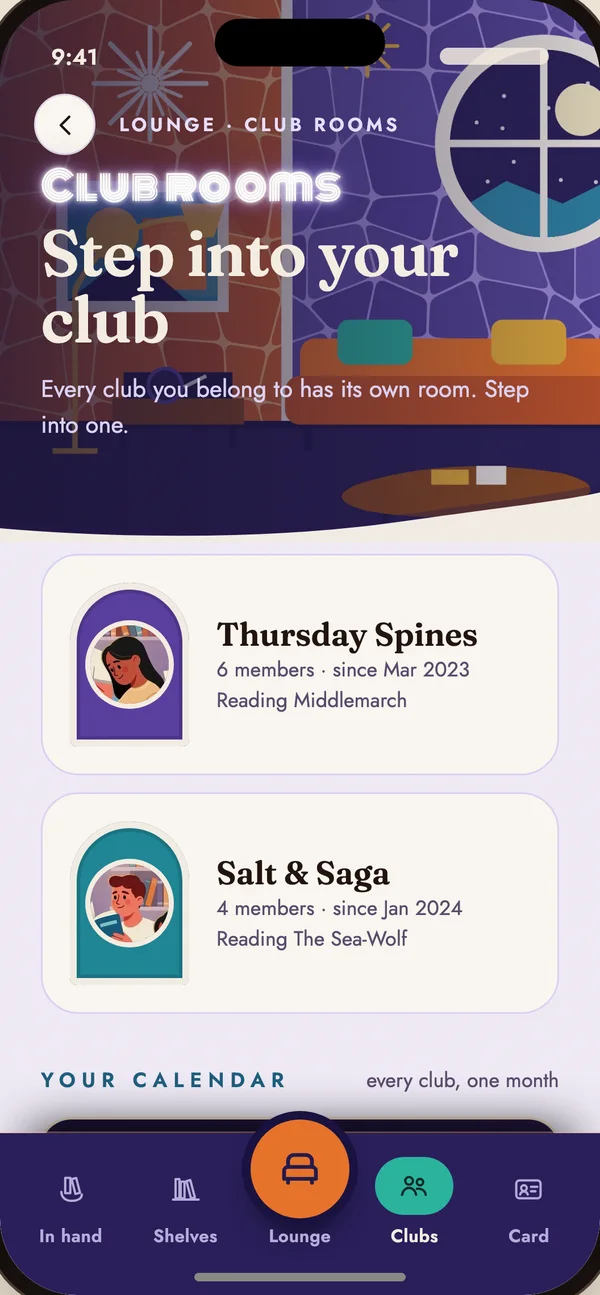
Scan a club's QR code and you're in. Club news reaches every member's phone through iCloud: the next meeting, who's hosting, and the questions for the night. Then you meet in person.

  • Sync your calendar to see the evenings you're free
  • Anyone can suggest a night, and the host locks it in
  • Pin questions for the night and vote on the best
Club rooms: Thursday Spines and Salt & Saga, with members and the book each is reading
03

Build a profile of your library

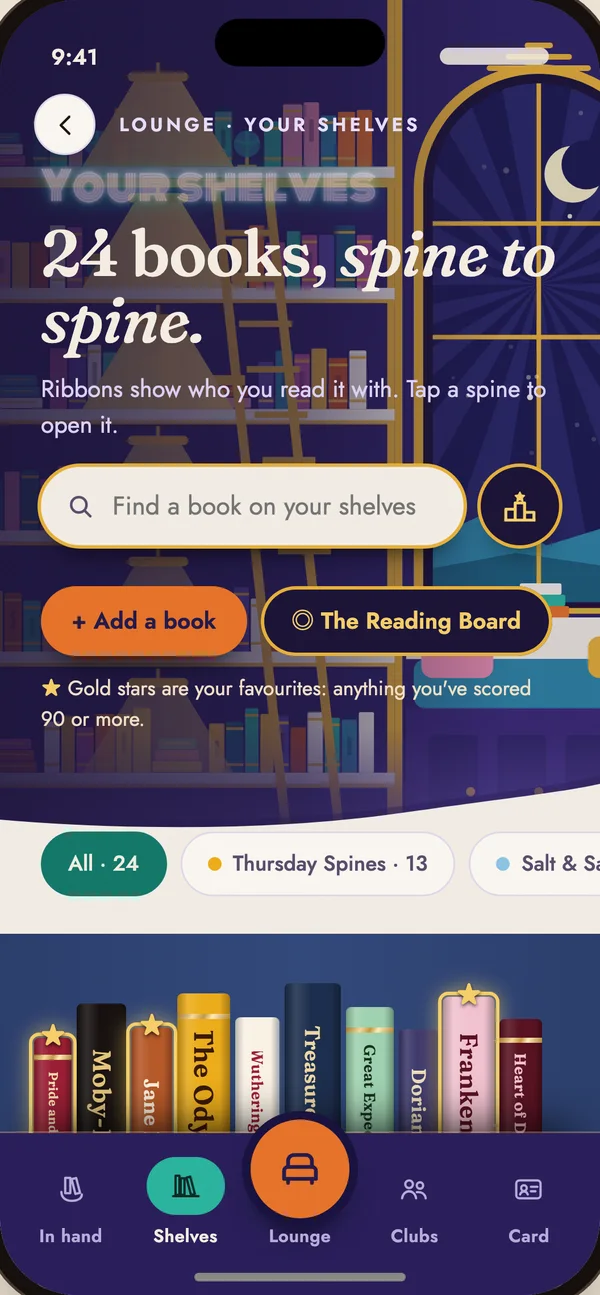
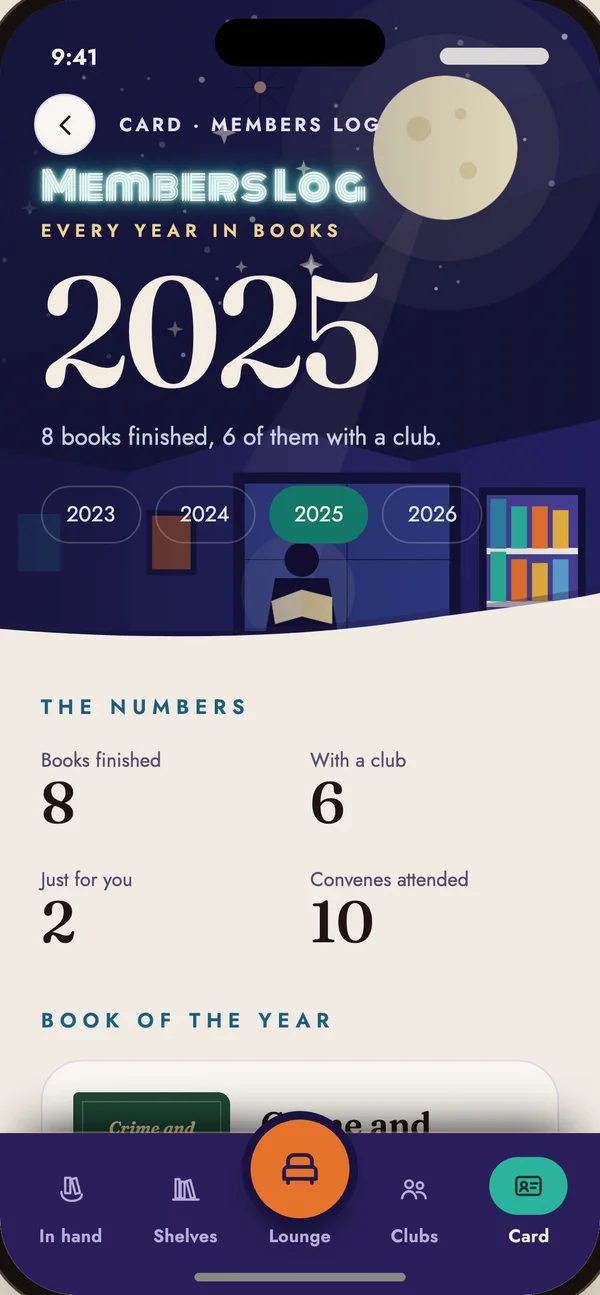
Every book you've read, spine to spine, with a score out of 100 and a one-line sign-off. Scan a barcode to add a book, add the ones you read before Covers, and look back on every year in the Members Log.

  • Gold stars mark your favourites
  • Your year in numbers and your book of the year
  • Keep up to five books on the go
Your shelves: 24 books, spine to spine
The Members Log for 2025: 8 books finished, 6 with a club
04

Share with your friends

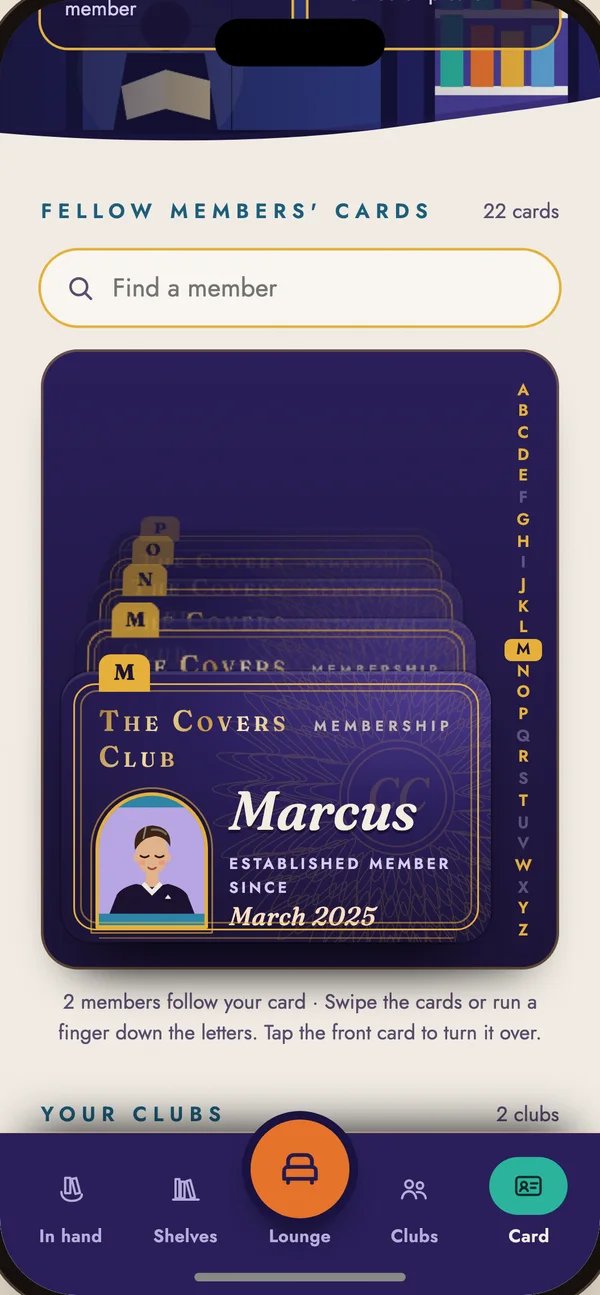
Show your card and a friend scans it across the table. No usernames, no searching, no signal needed. Their cards file into your rolodex of fellow members, A to Z, and your reading reaches the people who scanned yours.

  • Swipe through fellow members' cards, or run a finger down the letters
  • Tap any card to turn it over
  • Sharing your reading is your choice. Switch it off in Settings
A rolodex of fellow members' membership cards with an A to Z letter rail
05

Remember why you loved it

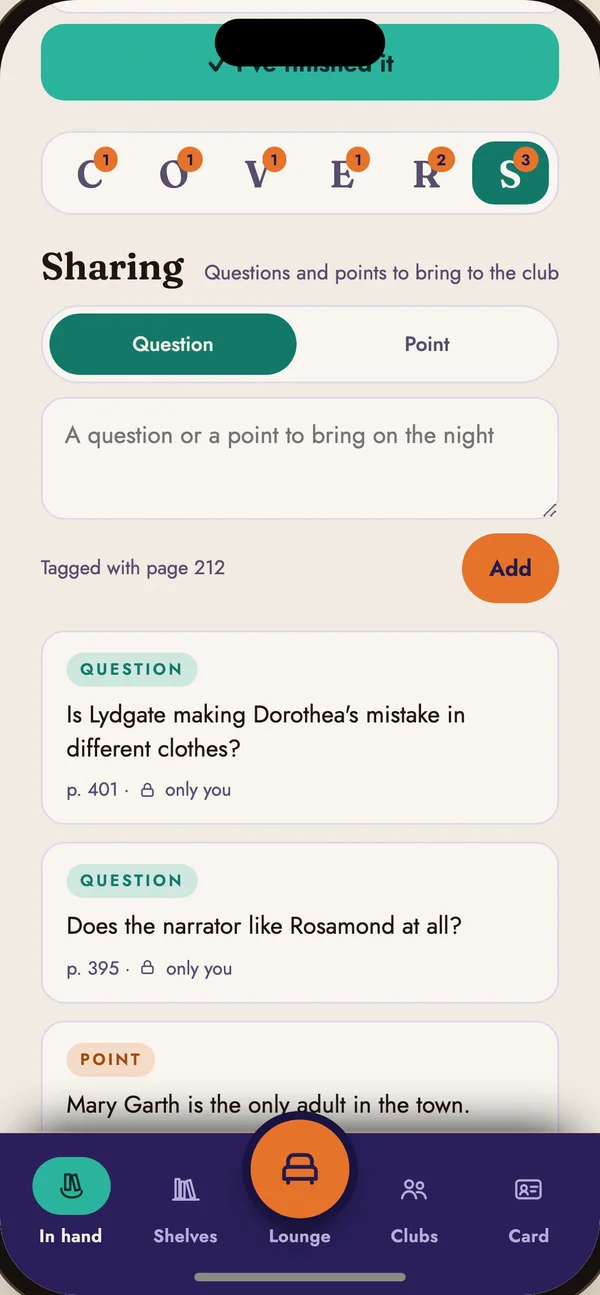
Write in every book as you read. Your notes, tagged with the page, build the thinking behind each book, so you can come back years later and remember exactly why it stayed with you.

  • Six rooms for every book: Chapters, Observation, Vocabulary, Exploration, Reflection and Sharing
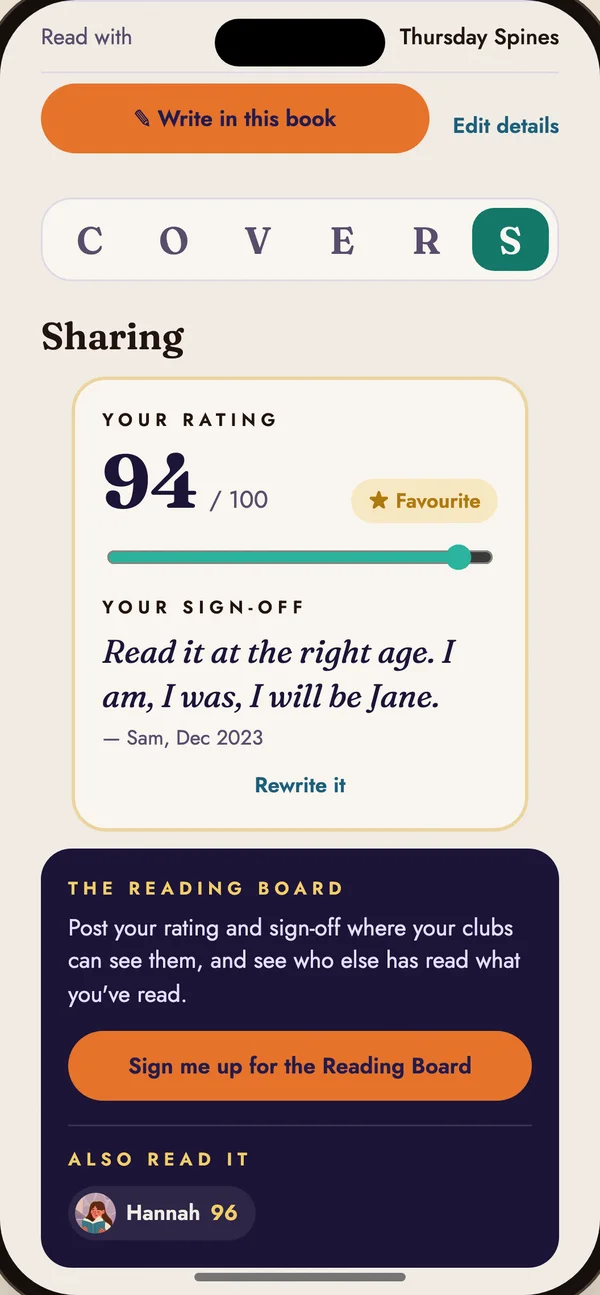
  • Finish with a score out of 100 and a one-line sign-off
  • Your notes are yours. Club notes stay private until the discussion ends
Notes on Middlemarch in the Sharing room: questions and points, each tagged with a page
Jane Eyre scored 94 out of 100 with the sign-off: Read it at the right age. I am, I was, I will be Jane.
Privacy at a glance

Your reading is yours

On your phone

Your library, scores, notes and profile live on your iPhone. We can't see them.

Shared with people you choose

Club posts go through iCloud to that club's members. Your reading goes to people who scanned your card. Both carry the name you chose, never your email or number.

Your calendar stays put

Calendar sync reads busy times on your phone. Nothing is saved or sent.

No ads, no tracking

No analytics, no advertising and no third-party trackers. No account to make.

Support

Questions

Do I need an account?

No. Covers has no sign-up. You join a club by scanning its QR code. For live updates between phones, be signed in to iCloud in your iPhone's Settings.

How do I join a club?

Open Covers, tap Scan and point your camera at the club's code. You can also pick a photo of the code from your library.

Who decides the date?

Anyone in the club can suggest a day and say if they can make it. The host for the next night locks it in, and the host picks who hosts after them. If no one is hosting, the founder does it.

Does it work without signal?

Yes. Your library and notes are on your phone, and QR codes work face to face. Anything you post waits on your phone and sends when you're back online.

How do I move to a new phone?

In Settings, choose Moving to a new phone, then Export my Covers. Open the file on the new phone with Import a file.

Someone posted something that shouldn't be there

Tap the ⋯ beside it. Report hides it and opens an email to us with the details. Block hides everything that person posts. Club founders can also remove a member.

welcome@myspencer.ai

More answers, and how to delete your data, are on the support page.

The fine print

Privacy and terms